Most IPTV player apps follow one of three business models: completely free, free with a paid upgrade, or a paid licence after a short trial. The price of the player tells you nothing about the channels you will see, because a player never includes content. What you are paying for is software: features, convenience and ongoing development. This guide explains what free and paid players usually offer and how to decide.
First, what a player does not include
A player is an empty app until you add your provider’s playlist or login. Paying for a player does not add channels, and paying for a TV service does not usually include a player. If an app offers “thousands of channels” with no login, it is not a player at all but a bundled source of unlicensed streams, with the security and legal risks that come with it. What is an IPTV player? explains the split in detail.
Common pricing models
| Model | How it works | Typical on |
|---|---|---|
| Free, open source | No charge; community-developed | VLC, Kodi |
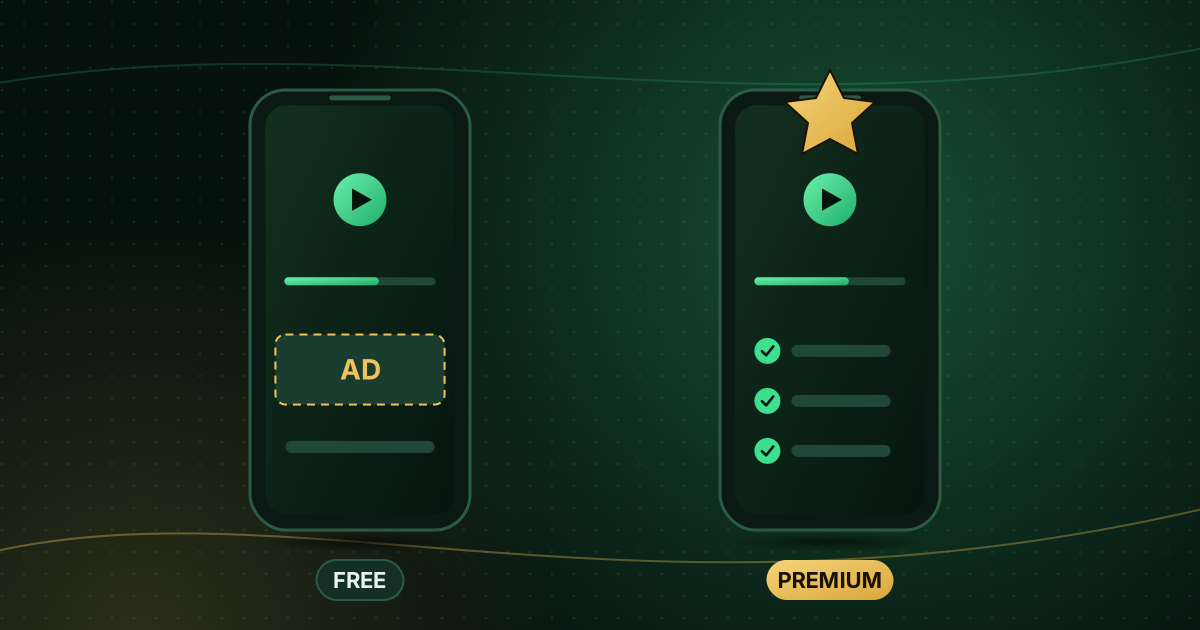
| Free with ads | Full app, shows adverts | Some mobile and TV players |
| Freemium | Core features free; premium unlock for extras | Many Android TV and Fire TV players |
| Licence after trial | Free for a period, then a one-off or yearly fee per device | Many Samsung and LG TV players |
| Subscription | Monthly or yearly fee | Some multi-device players |
Always read the store listing and the in-app purchase section before paying. On Google Play and the App Store, in-app purchases and subscriptions are shown on the app’s page.
What paid upgrades typically add
Every app is different, but premium tiers commonly unlock:
- Removal of adverts.
- Multiple playlists or profiles.
- Advanced guide views (longer guide range, mini-guide while watching).
- Catch-up and recording features, where your provider supports them.
- Custom groups and favourites syncing between devices.
- Parental controls and PIN locks.
- Multi-view (several channels at once) on powerful devices.
- Priority support from the developer.
If you do not need any of these, a free player may be all you need.
The hidden costs of “free”
Free does not always mean costless:
- Advertising and tracking. Check the store’s privacy label (App Store) or Data safety section (Google Play) for what the app collects.
- Abandoned apps. A free app with no updates for years may stop working after a system update.
- Unofficial “free premium” versions. Modified copies of paid players circulate online. They are a common carrier of malware, and installing them means sideloading outside the store. Google notes that Play Protect scans apps for harmful behaviour; modified APKs avoid that protection. See how to spot unsafe streaming apps.
Questions to help you decide
- Does the free version support my login type (Xtream Codes or M3U) and show a guide?
- Which premium feature would I actually use every day?
- Is the licence per device? If you have three TVs, a per-device licence costs three times as much.
- Is it a one-off purchase or a recurring subscription?
- Is there a trial, and what happens when it ends?
- How recently was the app updated, and does the developer answer support requests?
Test the free version or trial on the device you will use, at the time you usually watch, before you pay.
Paying for an app safely
Pay through the official app store whenever possible: purchases are tied to your account, can be restored on a new device and are covered by the store’s refund policy. If a developer asks you to pay through a website to activate a TV licence, make sure it is the official site named in the app, and use a payment method with buyer protection. Our guide to paying for streaming safely covers the red flags.
Frequently asked questions
Do I have to pay again for each TV?
Some players licence per device, so each TV needs its own licence; others licence per account and work on several devices. Check the listing before you buy if you have more than one TV.
Can I move a paid licence to a new TV?
It depends on the developer. App-store purchases usually follow your store account to a new device of the same platform; device-ID licences may need the developer’s help to transfer.
Is a paid player more reliable?
Not automatically. Reliability depends on how well the app is maintained. A paid app that is updated regularly is a good sign; so is a free app with a long history of updates.
Summary
Free players such as VLC and Kodi are excellent for basic or computer-based viewing. Paid upgrades make sense when they unlock a feature you will use daily, such as a better guide, multiple profiles or no adverts. Whatever you choose, install from the official store and remember that the player and the TV service are separate purchases. Compare players by platform and login type in our IPTV player compatibility guide.
Sources and further reading
- Google Play Help: Get Android apps from the Google Play Store
- Apple iPhone User Guide: Get apps in the App Store
- Google Play Help: Use Google Play Protect
Menus and app availability change with software updates. If a step looks different on your device, check the device or app maker’s help page linked above.